
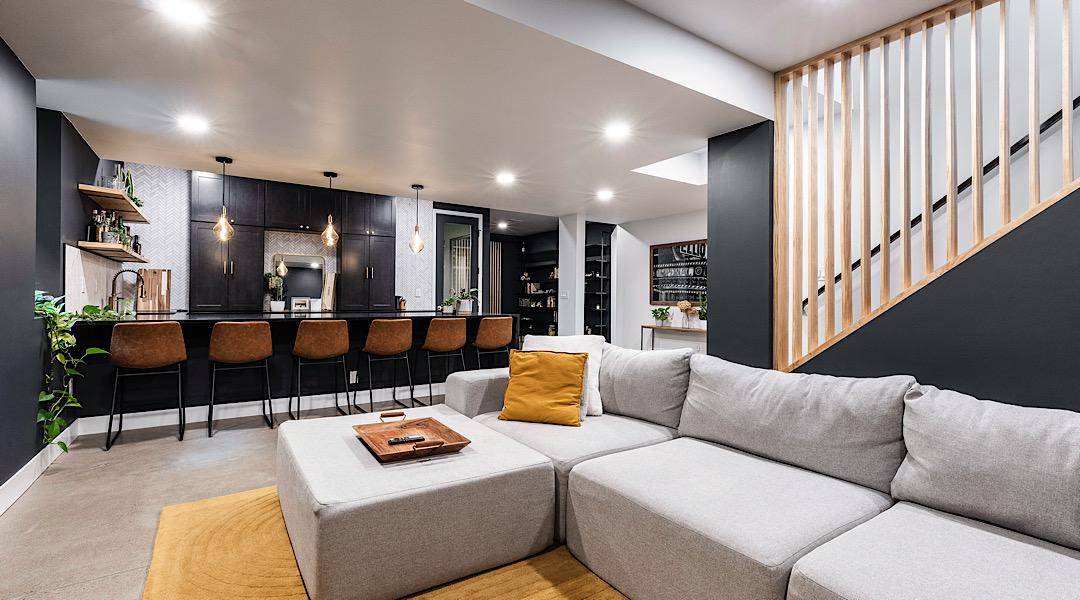
Get the “behind-the-walls” decisions right before drywall goes up
Pre-wiring basement low voltage (internet, TV, speakers, cameras, Wi‑Fi access points, and smart-home wiring) is one of the highest-impact steps you can take during a basement finishing project—because it’s dramatically easier and cleaner to do before insulation and drywall. For Colorado homeowners who are execution-ready and don’t want schedule surprises, a clear pre-wire plan creates predictable scope, fewer change orders, and a finished basement that feels modern on day one.
What “low-voltage pre-wire” means in a basement (and why it’s not just Ethernet)
Low-voltage systems are the cables and pathways that carry data, audio, video, and control signals—separate from standard 120V electrical. In a finished basement, low-voltage typically covers:
Structured wiring (network): Ethernet runs for TVs, offices, game consoles, streaming devices, and future upgrades.
Wi‑Fi coverage: ceiling- or wall-mounted access point cabling for strong signal through concrete and framing.
Home theater wiring: speaker wire, subwoofer line-level coax, projector/TV signal pathways, and equipment locations.
Security/smart features: camera cabling, door contacts, keypad/control wiring, and “just-in-case” conduit for what you add later.
The goal isn’t to overbuild. The goal is to pre-plan pathways and home runs so your basement can evolve without opening finished walls.
Step 1: Pick a “home base” for all low-voltage (your basement’s control center)
Start by choosing where every low-voltage cable will terminate. This could be a dedicated closet, a mechanical room corner, or a built-in cabinet near your theater area—anywhere you can keep networking gear organized and ventilated. The key is that your pre-wire plan should “home run” most cables back to this central spot (rather than daisy-chaining room to room), which aligns with typical structured cabling recommendations.
A practical basement control-center checklist
• Space for a structured media panel or small wall rack
• Power outlet(s) nearby (your electrician handles this)
• A plan for ventilation (network gear generates heat)
• Easy access (you’ll eventually want to reboot/upgrade things)
Step 2: Decide what to run as cable vs. what to run as conduit (future-proofing without overpaying)
A smart approach in a finished basement is to run cable where the destination is known (like Ethernet to a TV wall) and run conduit where standards change (like HDMI to a projector). Flexible ENT conduit (often called “smurf tube”) is commonly used for low-voltage pathways and future cable pulls.
Great candidates for conduit: projector runs, TV wall “behind the display,” and any route that would be painful to access later.
Great candidates for direct cable: speaker wire, Ethernet to fixed locations, and coax to a subwoofer location.
Also, keep low-voltage separated from power where possible; when they must cross, crossing at a 90° angle is a widely recommended practice to reduce interference risk.
Step 3: Pre-wire the “high regret” locations (the spots homeowners wish they planned)
If your basement is getting any of the popular spaces below, these are the low-voltage items that are easiest to do now and hardest to add later:
TV / Entertainment Wall (Family Room or Rec Room)
• 2+ Ethernet drops behind the TV area (streaming, console, future device)
• Conduit from the equipment location to behind the TV for future HDMI/cable swaps
• In-wall rated speaker wire if you’re adding surround sound later
• Conduit from the equipment location to behind the TV for future HDMI/cable swaps
• In-wall rated speaker wire if you’re adding surround sound later
Home Theater Room
• Speaker wire home-run to your AVR/receiver location (plan 5.1/7.1 now, even if you start smaller)
• Subwoofer coax (RG6) to 1–2 likely sub locations
• Conduit to projector (or to TV) because video standards change over time
• Subwoofer coax (RG6) to 1–2 likely sub locations
• Conduit to projector (or to TV) because video standards change over time
Basement Office / Homework Zone
• Hardwired Ethernet to desk area (stable video calls and faster uploads)
• A second drop for a printer or docking station
• A second drop for a printer or docking station
Wi‑Fi Access Point (Ceiling-mounted)
• One Ethernet run to a central ceiling area (many access points use PoE, meaning power can come through the Ethernet line)
• Placement that avoids being boxed out by soffits or ductwork
• Placement that avoids being boxed out by soffits or ductwork
Quick “Did you know?” facts that save time and rework
Did you know? Ethernet cable quality matters—choose solid copper (not copper-clad aluminum/CCA) for reliability and PoE devices.
Did you know? Cat6 is a strong baseline for homes; Cat6A can be a smart “open walls once” upgrade if you’re future-proofing long-term or planning higher bandwidth needs.
Did you know? For home theater speakers, 12–18 AWG is commonly recommended depending on run length, and using the same gauge for all speaker runs helps keep performance consistent.
Did you know? Crossing low-voltage and power at 90° is a widely used best practice to reduce interference risk.
Optional table: A simple low-voltage pre-wire plan for common basement spaces
| Basement Area | What to Pre-Wire | What to Put in Conduit | Why It Matters |
|---|---|---|---|
| TV wall / Family room | 2+ Cat6/Cat6A, optional speaker wire | TV signal path | Cleaner installs, easier upgrades, fewer cables visible |
| Theater room | Speaker wire home-runs, RG6 to sub locations | Projector/TV signal path | Avoid drywall cuts later; supports future equipment standards |
| Office / flex room | 1–2 Cat6/Cat6A to desk wall | Optional (usually not needed) | Stable work-from-home, better video calls, better uploads |
| Wi‑Fi access point | 1 Cat6/Cat6A to ceiling location | Not required | Concrete + framing can weaken Wi‑Fi; APs improve coverage |
Tip for fast timelines: finalize TV walls, theater layout, and desk locations early. Moving low-voltage after framing is possible; moving it after drywall is where delays and patchwork typically appear.
Colorado angle: Basements, concrete, and Wi‑Fi realities along the Front Range
Across Colorado’s Front Range, many homes have basements where concrete foundation walls, mechanical rooms, and duct runs can create dead zones for wireless coverage. If you’ve ever had great Wi‑Fi upstairs and spotty streaming downstairs, that’s a common symptom. A simple pre-wire for a ceiling-mounted access point in the basement can make the entire lower level feel “as strong as upstairs” without relying on extenders.
If you’re planning a rec room, theater room, wet bar, or a flexible family room, pre-wiring helps keep the finished look clean—especially when you want wall-mounted TVs, hidden components, and predictable installation windows during summer schedules.
Want a predictable plan and a fast path to drywall?
ElkStone Basements specializes exclusively in basement finishing and remodeling, with process-driven planning that helps homeowners avoid delays and last-minute changes. If you’re finishing a basement in Colorado (or planning a project in Utah), we’ll help you lock in a low-voltage plan that matches your layout, your timeline, and your future upgrades.
FAQ: Pre-wiring basement low voltage
Should I run Cat6 or Cat6A in my basement?
Cat6 is a solid, common choice for residential basements. Cat6A can be a smart upgrade when walls are open, and you want stronger long-term headroom for higher bandwidth and some PoE-heavy setups. If the budget is tight, prioritize the “high regret” runs (TV wall, office, Wi‑Fi access point) first.
Do I need a conduit (smurf tube) if I’m already running cables?
Not everywhere. Conduit is most valuable for the routes that are hardest to access later—especially projector/TV signal paths—because cables and standards change. ENT (“smurf tube”) is commonly used for low-voltage conduit in residential settings.
What speaker wire gauge should I use for a basement theater?
Many guides recommend using something in the 12–18 AWG range, depending on distance, and using the same gauge for every speaker run helps keep performance consistent. If you’re unsure, plan for longer runs and choose a heavier gauge rather than trying to save a few dollars on wire.
Can low-voltage and electrical systems share the same studs and bays?
Often, they can be on the same wall, but best practice is to keep separation where you can and avoid bundling signal cables tightly with power. When they must cross, crossing at 90° is a commonly recommended method to reduce interference risk.
What’s the most common pre-wire mistake in a finished basement?
Waiting until after the drywall to decide where the TV wall, equipment, and Wi‑Fi should go. The fix is simple: confirm the room layout early, choose a central low-voltage “home base,” and run the key pathways before walls close.
Glossary: Low-voltage terms you’ll hear during basement finishing
Low-voltage wiring: Cabling used for data/audio/video/control signals (not standard 120V power).
Home run: A cable run that goes directly from a device location back to a central panel/rack (instead of chaining to another room).
ENT / “Smurf tube”: Flexible nonmetal conduit used to create pathways so cables can be replaced or added later.
PoE (Power over Ethernet): A method that allows certain devices (like Wi‑Fi access points or cameras) to receive power through an Ethernet cable.
Access point (AP): A wired Wi‑Fi device mounted to a ceiling or wall to provide strong, consistent wireless coverage.
AWG (American Wire Gauge): Wire thickness standard; smaller numbers mean thicker wire (often used when selecting speaker wire).

Recent Comments